
OpenTabletDriver
Read our comprehensive review of OpenTabletDriver, the premier open-source cross-platform tablet driver tool. Discover its features, setup, and performance.
When it comes to digital drawing, osu! gameplay, or precise cursor control, hardware performance often depends heavily on the software running behind the scenes. The OpenTabletDriver cross-platform tablet driver tool steps into this space as a powerful, user-mode solution designed to bypass restrictive, bloated proprietary software. Developed by InfinityGhost, this utility focuses on delivering low-latency input tracking wrapped in a highly configurable graphical user interface.
Why Choose the OpenTabletDriver Cross-Platform Tablet Driver Tool?
Unlike traditional manufacturer drivers that run deep within the kernel level, OpenTabletDriver operates entirely in user mode. This architectural choice minimizes the risk of system-wide instability while offering unprecedented control over your hardware. Whether you are using Linux or other supported environments, this software aims to provide a unified experience across different operating systems.
Key Features and Performance Benefits
- Broad Cross-Platform Compatibility: Built from the ground up to support multiple operating systems, ensuring your custom tablet configurations remain consistent regardless of your environment.
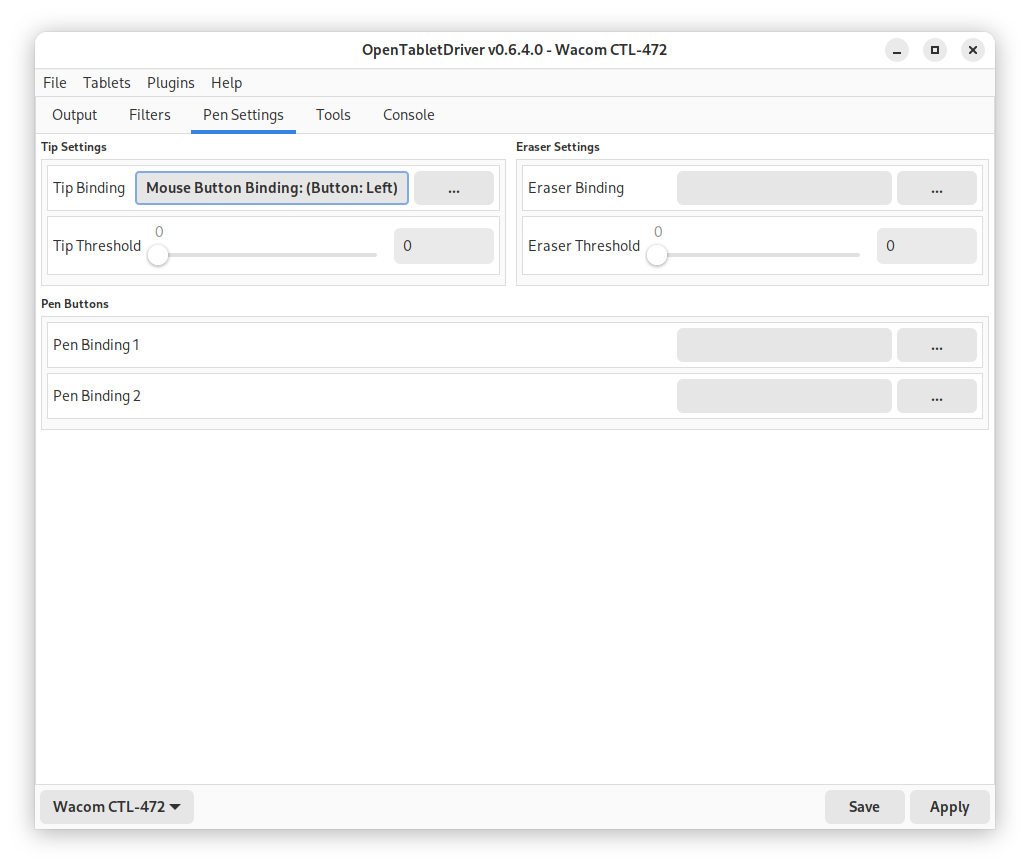
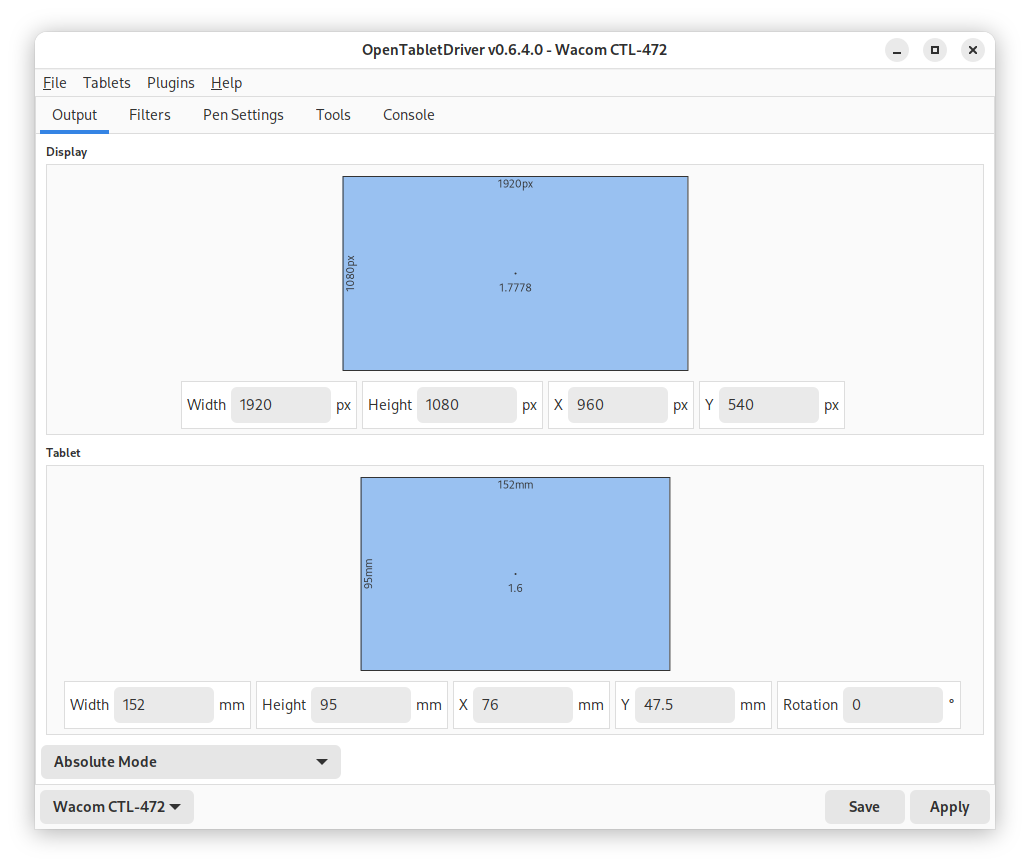
- Intuitive Graphical Interface: A clean, accessible GUI allows users to easily map tablet areas, adjust pressure curves, and configure hotkeys without editing obscure configuration files.
- User-Mode Operation: Running in user space avoids complex kernel-level interactions, resulting in a safer, more stable system environment.
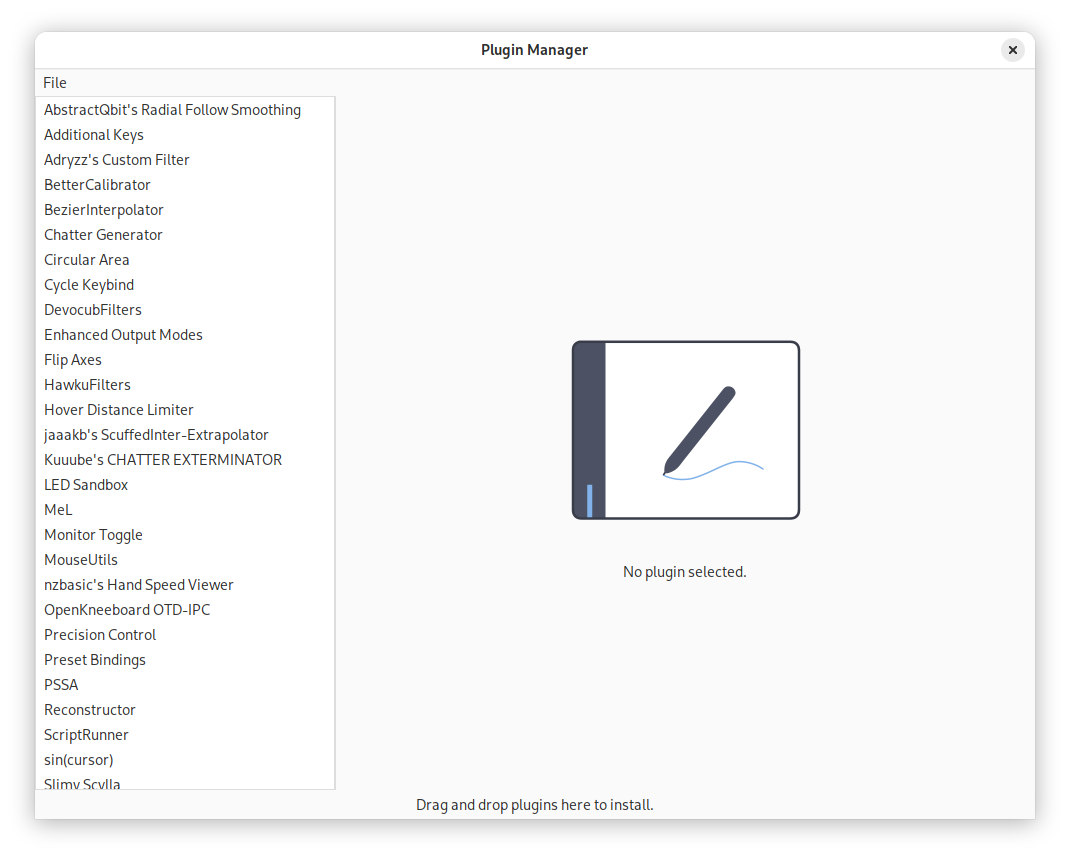
- Extensible Plugin Architecture: The platform supports community-made plugins, allowing users to add specialized filters, absolute/relative positioning modes, and custom tablet behaviors.
Who Is This Driver Tool For?
The OpenTabletDriver cross-platform tablet driver tool is highly recommended for digital artists seeking precise pen pressure control, rhythm game players requiring sub-millisecond response times, and general users looking for a lightweight alternative to resource-heavy default drivers. Because it is open-source, the project benefits from rapid updates and extensive community testing.
Setup and Configuration Notes
Because OpenTabletDriver operates as a custom user-mode driver, it requires some initial setup to prevent conflicts with pre-existing system drivers. Depending on your system configuration, you may need to disable default kernel drivers or apply specific permissions before or after installation. The developer provides detailed, step-by-step documentation on their official repository to guide you through this process seamlessly.
The Verdict: A Superior Input Experience
For users seeking to unlock the true potential of their hardware without the bloat of standard software suites, this utility is an exceptional choice. It offers the flexibility, speed, and customization that demanding users require. To learn more or to obtain the application for your Linux system, visit the official Flathub store page.